
TL;DR:
MetaMask and Trust Wallet use your public wallet addresses. Depending on the network you use, you can import transactions through the corresponding CoinTracking Blockchain Importer. Blockchain Importers can also be used for Web3 exchange wallets such as Bitget, Coinbase, Bitpanda, and others. Direct CSV importers for MetaMask and Trust Wallet are not available yet.
How can I import MetaMask, Web3, or Trust Wallet transactions?
MetaMask and Trust Wallet use your public wallet addresses. Depending on the network you are using, you can import your transactions through CoinTracking’s blockchain API importers.
You can also use the Blockchain Importer for Web3 exchange wallets, such as Bitget, Coinbase, Bitpanda, and others.
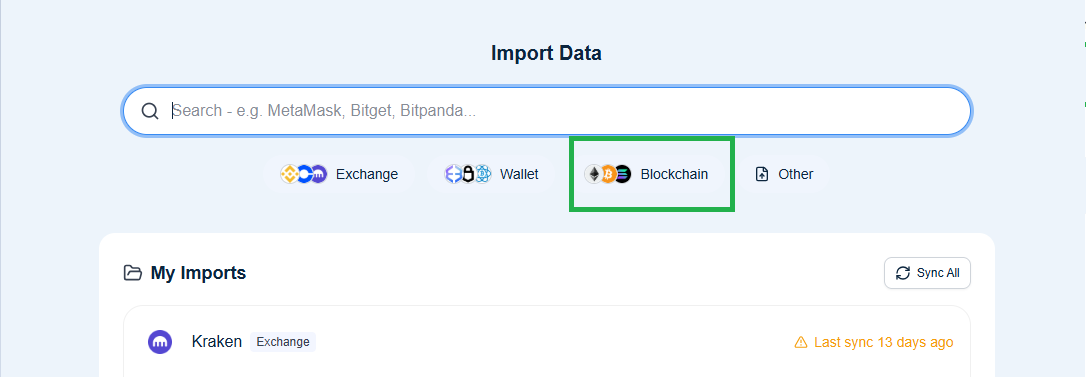
Which Blockchain Importer should I use?
The correct importer depends on the network your wallet is using:
If you are on Ethereum Mainnet, use the Ethereum importer.
If you are on BSC, use the BSC importer.
If you are on BNB, use the BNB importer.
You can read more about this here:
Is there a direct CSV importer for MetaMask or Trust Wallet?
No. A direct CSV importer for these wallets is not available yet.
For now, use the corresponding Blockchain Importer based on the network of your public wallet address.
How do I find my public wallet address?
You can find your public address directly in your MetaMask wallet. Read more here
Is there a video tutorial for Trust Wallet?
Yes. We also created a video showing how to import your Trust Wallet and do your taxes with CoinTracking.
Summary
To import MetaMask, Web3, or Trust Wallet transactions, use the public wallet address and select the correct CoinTracking Blockchain Importer for the network, such as Ethereum Mainnet, BSC, or BNB. Direct CSV importers are not currently available for MetaMask or Trust Wallet