
Guide to Navigating and Understanding Your Tax Report (Sweden)
Introduction
Welcome to our guide on understanding and navigating your tax report. Designed with clarity in mind, this guide aims to decode the report's structure and translate it into straightforward, easy-to-understand information. In this guide, we'll show you how to interpret the data in your report.
Section 1: Settings
Users can tailor their preferences on the settings page prior to generating a report. This includes various options such as choosing a country and setting the tax report period. After the report has been generated and downloaded, users will be guided to the overview, as outlined in Section 2. The following information highlights the most important settings for Sweden.
Important Settings
Accounting method
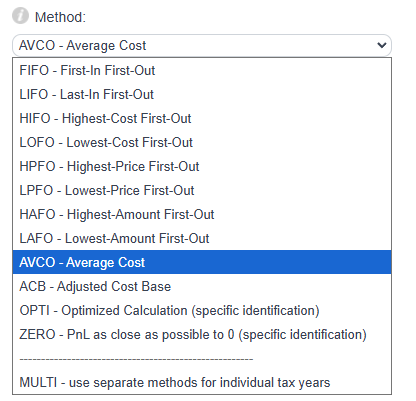
We provide multiple accounting methods for calculating gains and losses. Supported methods include:
First-In-First-Out (FIFO)
Last-In-First-Out (LIFO)
Average Cost (AVCO)
FIFO
FIFO assumes that the first assets you acquired are also the first ones sold or exchanged.
LIFO
LIFO assumes that the last assets you acquired are the first ones sold or exchanged.
Average Cost (AVCO)
The AVCO method calculates gains based on the average acquisition cost of all units held.
Each method has its own advantages depending on your local tax regulations and personal situation. AVCO is commonly used in Sweden.
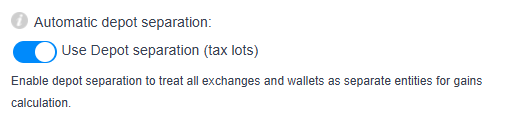
Automatic depot separation
The "Depot Separation" feature automatically recognizes deposits and withdrawals and assigns them to the corresponding exchange or wallet.
Normally, CoinTracking calculates balances across all wallets and exchanges together. When Depot Separation is enabled, each wallet or exchange is treated separately.
Group by day
Enable this option to group purchases and sales by day instead of exact timestamps.
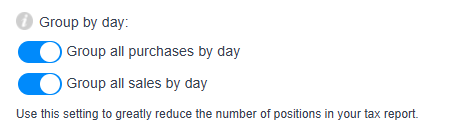
This can help if imported transactions contain incorrect time zones or if purchases and sales appear slightly out of order.
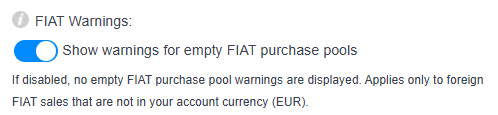
FIAT Warnings
By default, a warning is displayed when assets are purchased in a FIAT currency that does not exist in your account.
Foreign FIAT PnL
By default, gains and losses from foreign FIAT currencies are treated like gains and losses from cryptocurrencies.
If disabled, profits and losses from foreign FIAT currencies will not appear in the final report.

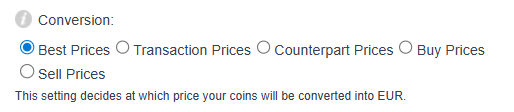
Conversion
All trades must be converted into your selected FIAT currency at the time of the transaction in order to calculate gains and taxes correctly.
For more details, please refer to the separate Conversion FAQ.
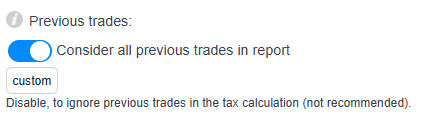
Previous trades
The setting "Consider all previous trades in report before your selected date" includes all earlier transactions required to calculate accurate acquisition costs and gains.
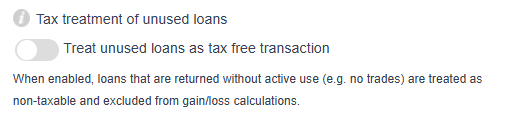
Tax treatment of unused loans
By default, loans that are not actively used and are simply returned later are treated as tax-neutral with zero proceeds.
Disable this setting if you want gains and losses to be calculated for unused loans as well.
Tax treatment of Liquidity pool/mining transactions
This setting treats the transaction types "Provide liquidity" and "Return LP tokens" as taxable disposals.
Enabling this option allows gains and losses from liquidity pool transactions to be calculated in the report.

In addition to the functionalities already discussed, our platform offers many additional settings. Each setting includes an information icon ("i") with a detailed explanation.
Section 2: Overview
The tax report classifies transactions according to Swedish tax regulations.
In Sweden, cryptocurrencies are treated as taxable assets and gains from crypto transactions are generally subject to capital gains tax. Crypto-to-crypto trades, conversions into FIAT, spending crypto on goods or services, and liquidity pool transactions are all treated as taxable disposals.
A flat capital gains tax rate of 30% generally applies to realized gains.
Sweden commonly applies the Average Cost (AVCO) method for calculating acquisition costs.
Income from activities such as staking, lending, liquidity rewards, and interest income may also be taxable. Depending on the type of activity, income can fall under capital income or ordinary income taxation.
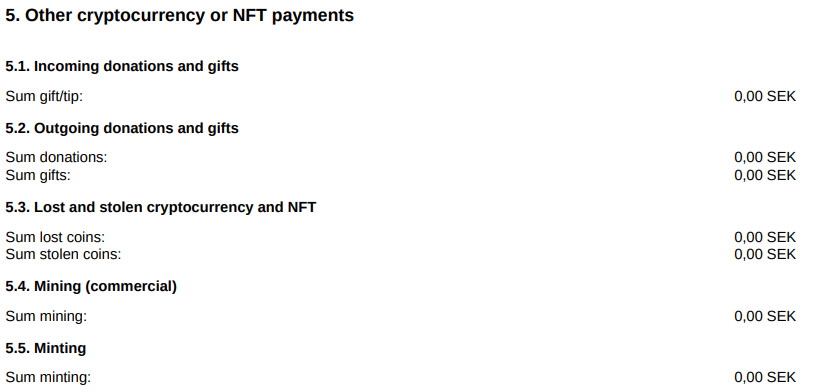
Certain transactions such as gifts and donations may be tax-free. Commercial mining, minting, lost or stolen assets, and donations are displayed separately in the report.
The detailed explanations inside the report help clarify how each transaction category is treated.
The report includes the following sections:
Capital gains/losses from cryptocurrency & NFT trading
1.1. Realized capital gains/losses from cryptocurrency trading
1.2. Realized capital gains/losses from NFT trading
1.3. Realized capital gains/losses from derivative, margin and futures tradingOther income from cryptocurrency & NFT trading
2.1. Other incomeInterest income from cryptocurrency & NFT trading
3.1. Interest incomeNon-taxable income from cryptocurrency & NFT trading
4.1. Other income non-taxableOther cryptocurrency & NFT payments
5.1. Incoming donations and gifts
5.2. Outgoing donations and gifts
5.3. Lost and stolen cryptocurrency and NFTs
5.4. Mining (commercial)
5.5. Minting
Taxable Income from Cryptocurrency Trading
This section includes cryptocurrencies purchased at one point in time and later sold, exchanged, or spent.
Transaction types commonly triggering taxable gains include:
Trade
Spend
Fees in cryptocurrency
Remove
Provide liquidity
Example
A purchases 1 BTC for 10,000 SEK on 01.07.2025.
On 31.07.2025, A sells this BTC for 20,000 SEK.
A realized gain of 10,000 SEK is recorded under:
1.1. Realized capital gains/losses from cryptocurrency trading


Profits from Margin, Derivatives, and Futures Trading
Profits from margin trading, derivatives, and futures are generally classified as capital gains.
Common transaction types include:
Margin gain
Derivatives/futures gain
Margin loss
Margin fee
Derivatives/futures loss
Settlement fee
Example
On July 1, 2025, A realizes a margin profit of 1,000 SEK.
On July 2, 2025, A realizes a margin loss of 500 SEK.
The resulting net gain of 500 SEK is documented under:
1.3. Realized capital gains/losses from derivative, margin and futures trading


Income
Cryptocurrency income refers to rewards or earnings received from crypto-related activities.
Typical transaction types include:
Income
Reward / Bonus
Staking
Mining
Airdrop
Masternode
Lending income
Interest income
LP Rewards
Other income
Example
On July 1, 2025, A receives a staking reward of 0.5 BTC valued at 20,000 SEK.
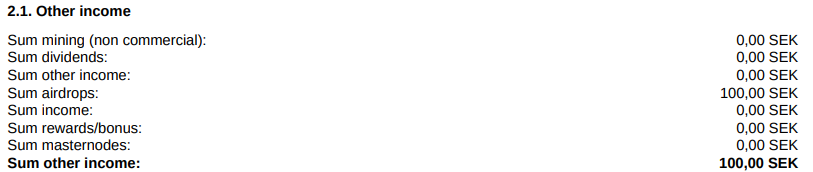
On July 2, 2025, A receives an airdrop of 100 AVAX worth 100 SEK.
These transactions are recorded under:
2.1. Other income
3.1. Interest income


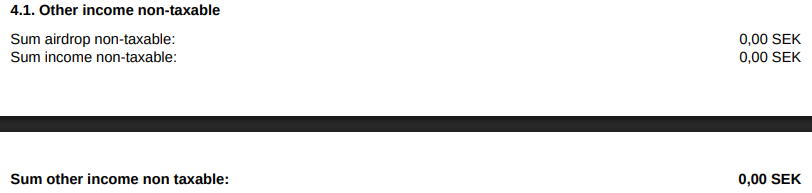
Non-taxable income
The report also contains a section for non-taxable transactions.
These transactions may still need to be documented even if they are not taxable.
Common examples include:
Income (non taxable)
Airdrops (non taxable)
These are displayed under:
4. Non-taxable income from cryptocurrency & NFT trading
Other cryptocurrency & NFT payments
The following transaction types are shown separately because their tax treatment may vary:
Donations
Gifts
Lost assets
Stolen or hacked assets
Commercial mining
Minting
Section 3: Transaction List
The Transaction List contains a detailed overview of all transactions during the selected period.
It includes:
Amount — Number of units traded
Date Acquired — Acquisition date
Date Sold — Disposal date
Holding period in days — Time between acquisition and disposal
Long/Short — Classification based on holding period
Type — Transaction type
Cost Basis in SEK — Original acquisition value
Proceeds in SEK — Disposal value
Gain/Loss in SEK — Profit or loss from the transaction
Buy/Input at — Wallet, exchange, or source of the asset