
TL;DR: CoinTracking offers two transaction flows: Regular and Tax One. Both use the same core calculation logic but differ in configuration, included transactions, and validation rules. If you see warnings or imbalances in either flow, they are usually caused by missing or incorrect transactions. Use the Missing Transactions Report and the account validation tool to find and fix them.
What is the Transactionflow Report?
CoinTracking provides two different transaction flows:
Regular
Tax One
Both are designed to calculate your data accurately. However, they follow different rules and settings depending on the intended use case.
This article explains how each transactionflow works, where they differ, what they have in common, and how to troubleshoot warnings or inconsistencies that may appear.
Regular vs. Tax One
What is the Regular transaction flow?
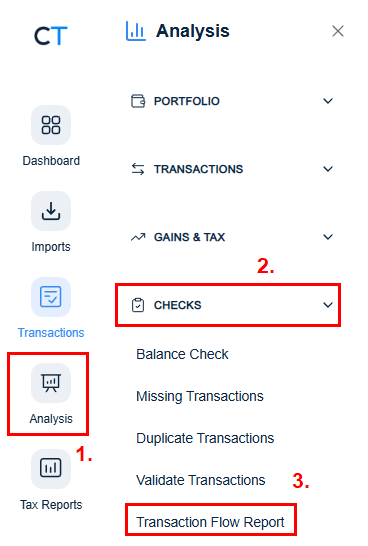
The Regular transaction flow:
Includes all incoming and outgoing transactions
Displays transactions chronologically
Allows the full transaction chain to be traced without gaps
Always uses FIFO (First In, First Out) as the calculation method
Does not allow the calculation method to be changed
Some warnings are intentionally not shown in this view. For example, warnings related to negative balances are suppressed unless a corresponding warning exists in the tax view.
Important: The depot separation setting is based on your last generated tax report. If depot separation was active in that report, it remains active for the Regular transaction flow. This synchronization applies exclusively to the depot separation feature.
What is the Tax One transaction flow?
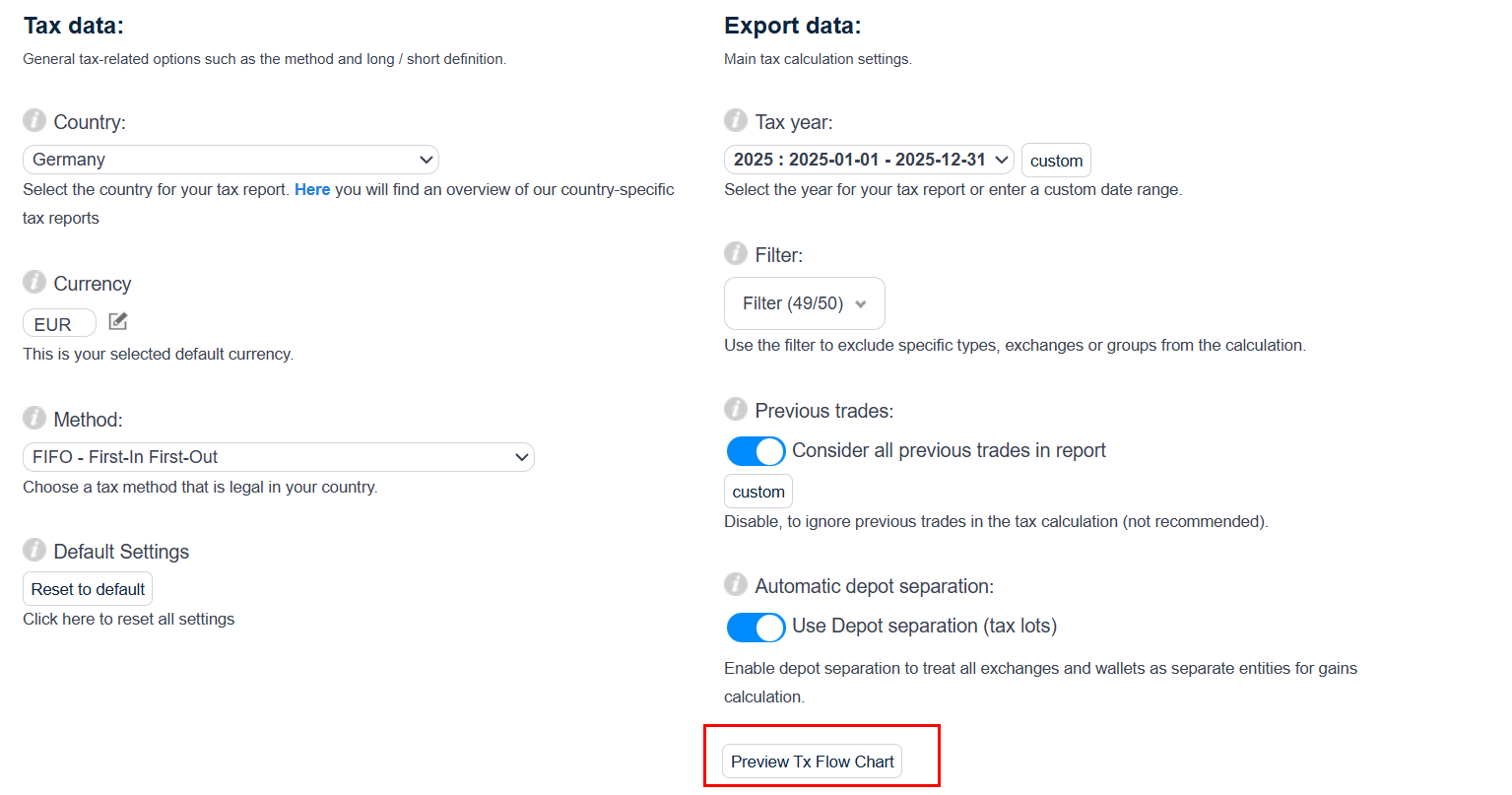
In Tax One:
Only grouping and calculation methods can be selected or changed
Depot separation is always enabled
Purchase transactions are not included in the calculation
The most important requirement is that deposits and withdrawals must match exactly.
If deposits and withdrawals do not match:
The transaction flow cannot be calculated correctly
Warnings will be issued
Special attention is given to:
Matching deposits with withdrawals
Deposits without corresponding withdrawals
Technical Differences
The underlying calculation logic is almost identical for both transaction flows. The main differences lie in configuration and included transactions.
Regular includes purchase transactions in the calculation
Tax One does not include purchase transactions
If an amount is negative but would be correct in the tax report:
- The value is automatically set to zero in the Regular report
Additionally:
- If a warning involves a difference smaller than 8 decimal places, it is also set to zero
These rounding rules apply to both Regular and Tax One.
Shared Behavior
Both transaction flows:
- Display warnings for missing amounts in withdrawals
However:
- No warnings are shown in the final tax report itself, even if they appear in the transaction flow.
Troubleshooting & Validation
Why do I see account imbalances or warnings in the transaction flow?
Account imbalances and warnings in the Regular or Tax One transaction flow are usually caused by missing or incorrect transactions. If deposits, withdrawals, trades, or other entries are missing from your account, the calculation cannot match incoming and outgoing amounts correctly. This leads to inconsistent results and triggers the warnings described above. Reviewing and completing your transaction history is the first step to resolving these issues.
How can I find missing transactions?
Use the Missing Transactions Report to identify entries that may be missing from your account. This tool highlights gaps in your transaction history that could be causing the warnings or imbalances mentioned above, making it easier to pinpoint exactly which transactions need to be added or corrected before recalculating your transaction flow.
What does the "No suitable purchase for this sale" warning mean?
This warning appears when a sale transaction cannot be matched to a corresponding purchase transaction in your account, for example, if the purchase is missing, incomplete, or was entered with a date after the sale. Since the calculation relies on matching sales to earlier purchases (FIFO), this warning indicates a gap in the transaction chain that should be reviewed and corrected.
How do I validate my account?
CoinTracking provides an account validation tool that checks your data for inconsistencies, such as missing transactions, unmatched deposits/withdrawals, and other issues that could affect the accuracy of the Regular or Tax One transaction flow. Running this validation helps ensure your account is complete and correctly calculated before generating your final tax report.
Summary
Regular displays the complete transaction history, includes purchases, and suppresses certain warnings.
Tax One focuses on tax-relevant accuracy, requires exact matching of deposits and withdrawals, and applies stricter validation rules.
Both use the same core calculation logic but differ in configuration, included transactions, and presentation.
Warnings and imbalances in either flow are typically caused by missing or incorrect transactions. Use the Missing Transactions Report and the account validation tool to identify and fix them.