
TL;DR
CoinTracking allows you to automatically import blockchain transactions from over 300 blockchains. This guide explains how to import your wallet data using the Blockchain Importer or Altcoin Importer.
1) How do I import data using the Blockchain Importer?
To import wallet transactions from supported blockchains:
Go to Imports > Quick Access.
Use the blockchain filter or search bar to find the blockchain you want to import.
Enter your wallet address in the provided field.
Optionally, assign a custom wallet name to keep your imports organized.
Click Import
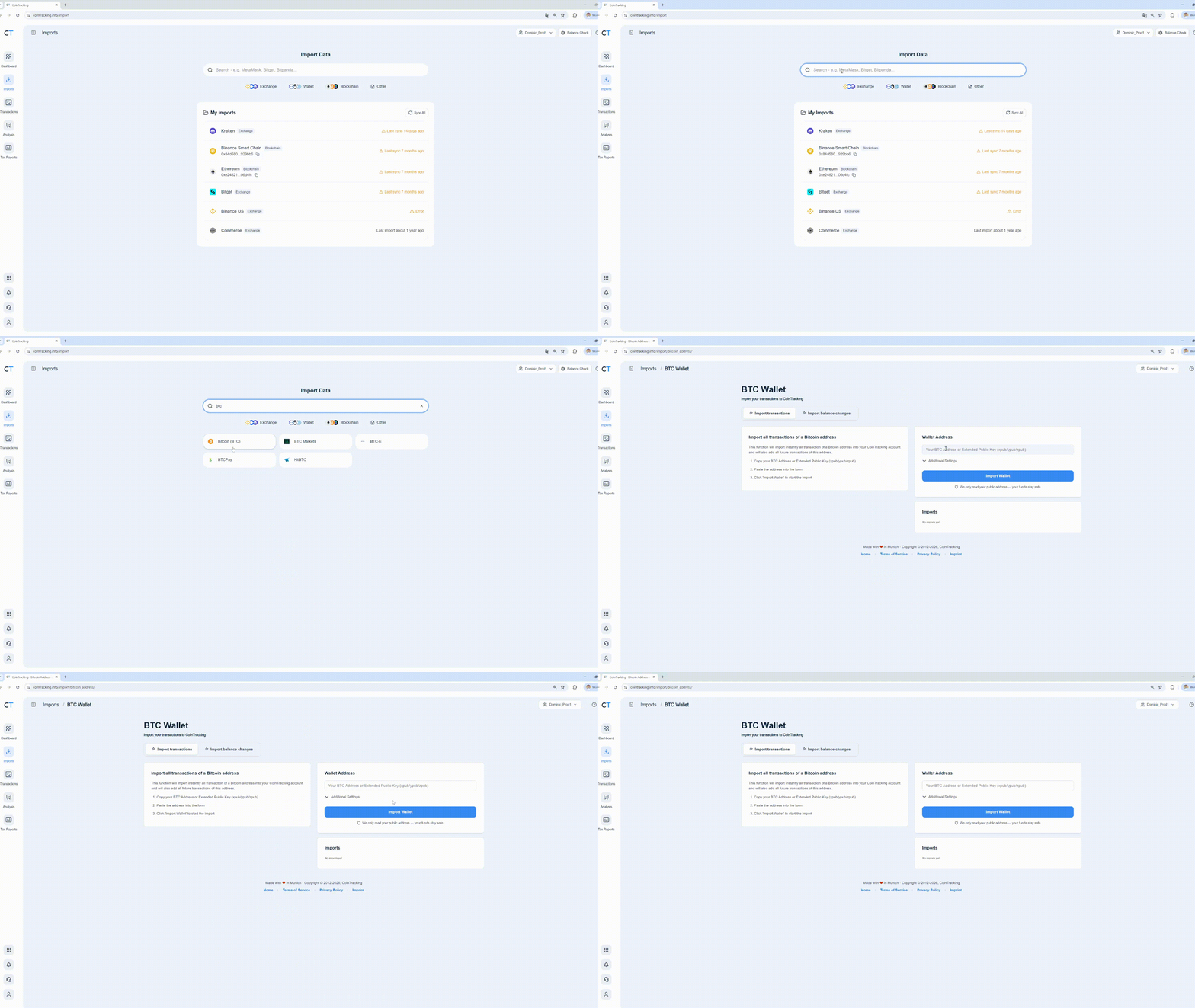
After import, you can click the wallet address to open its corresponding page in the blockchain explorer.
Note: If your blockchain isn't supported, use the Transactions page for manual entries or try our bulk import tools: Excel Import or Custom Importer.
For more on the Custom Importer: see Custom Importer FAQ
EVM Multi-Chain Import
For EVM-compatible wallets, you can use the EVM Multi-Chain Import to scan all supported EVM blockchains with a single wallet address.
Simply enter your EVM address and click Import all EVM transactions. CoinTracking will automatically scan supported EVM networks and create import jobs for blockchains with detected activity.
You can also assign an optional custom name, which will be added to all created importers (e.g. ETH Transactions ACC2, Base Transactions ACC2, Polygon Transactions ACC2).
This eliminates the need to add the same wallet address separately for each EVM blockchain.
2) How do I import data using the Altcoin Importer?
If your altcoin is not listed in the Blockchain Importer:
Go to Imports > Quick Access and click Blockchain.
Scroll down and click on "200+ more Altcoins (...)".
Use the dropdown to find your altcoin.
Enter your wallet address.
Optionally, set a custom exchange name.
Click Save this Wallet Transaction job to begin import.
Important:
The Altcoin Importer is provided via an external partner (cryptoid.info).
If import errors occur, contact: https://chainz.cryptoid.info
Summary
CoinTracking provides two flexible methods for importing blockchain data:
Blockchain Importer: for major blockchains (ETH, BTC, ADA, etc.)
Altcoin Importer: for hundreds of smaller altcoins
Be sure to use custom labels and save jobs for better management of your wallets.